How to Convert a Base44 Website to WordPress (Step-by-Step Guide)
Learn how to convert a Base44-built website into a fully functional WordPress theme. Step-by-step guide using WPConvert.ai.
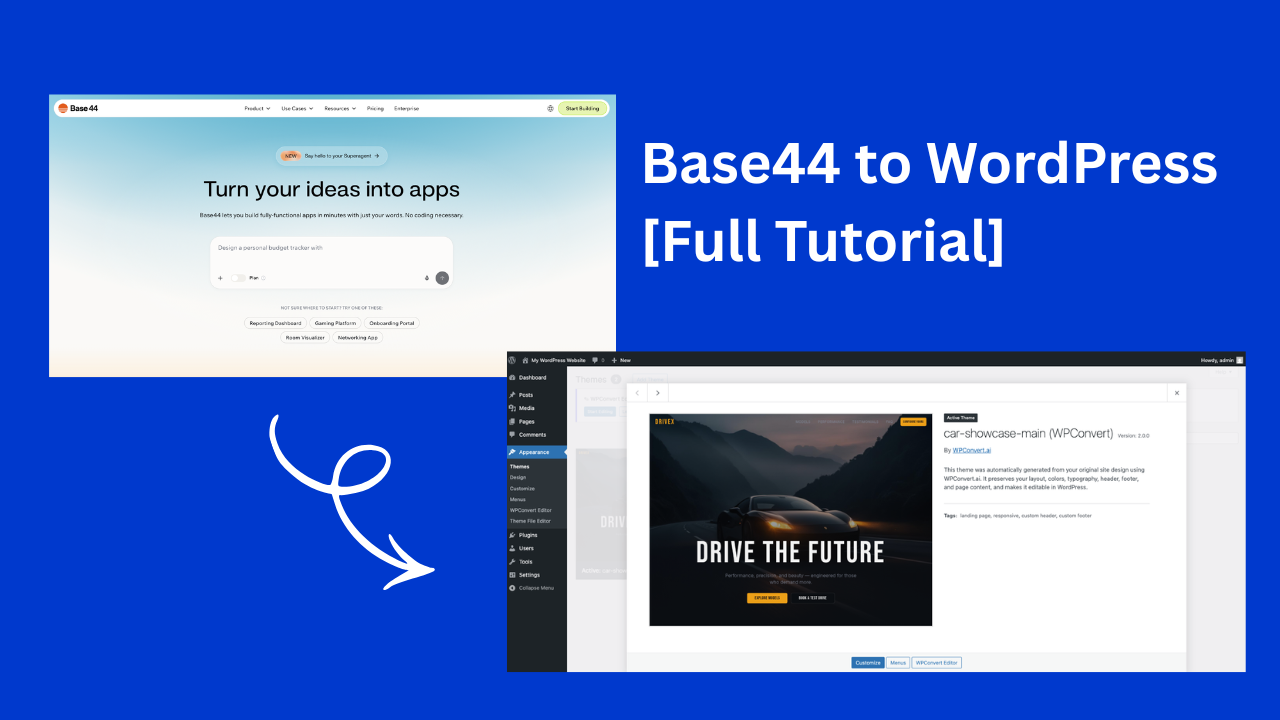
If you’ve built a website using Base44 and want to move it to WordPress, you’re not alone.
Many developers and creators use modern tools like Base44 to generate fast, clean frontends — but when it comes time to launch, scale, or manage content, WordPress is still the best long-term platform.
In this guide, we’ll walk through exactly how to convert a Base44 website into a fully working WordPress theme.
What Is Base44?

Base44 is part of a new generation of tools that help developers and creators build websites quickly using modern frontend workflows.
Depending on how your project is built, Base44 may output:
- HTML, CSS, and JavaScript
- Component-based layouts
- Frontend builds (Vite or similar)
- Static or client-rendered websites
These outputs are perfect for the browser — but not directly compatible with WordPress.
Why Convert a Base44 Site to WordPress?
Base44 is great for building.
WordPress is better for running websites long-term.
With WordPress, you get:
- a full CMS
- plugin ecosystem
- SEO tools
- user roles and permissions
- long-term scalability
This is why many teams follow a modern workflow:
Build with AI or dev tools → Convert to WordPress → Scale
What Needs to Change for WordPress?
A Base44 site typically consists of:
- static frontend files
- client-side logic
- no PHP templates
- no WordPress structure
WordPress requires:
header.php,footer.php,index.phpfunctions.phpfor asset loading- dynamic content placeholders
- proper theme packaging
This is where most manual conversions become time-consuming.
The Easiest Way: Use WPConvert
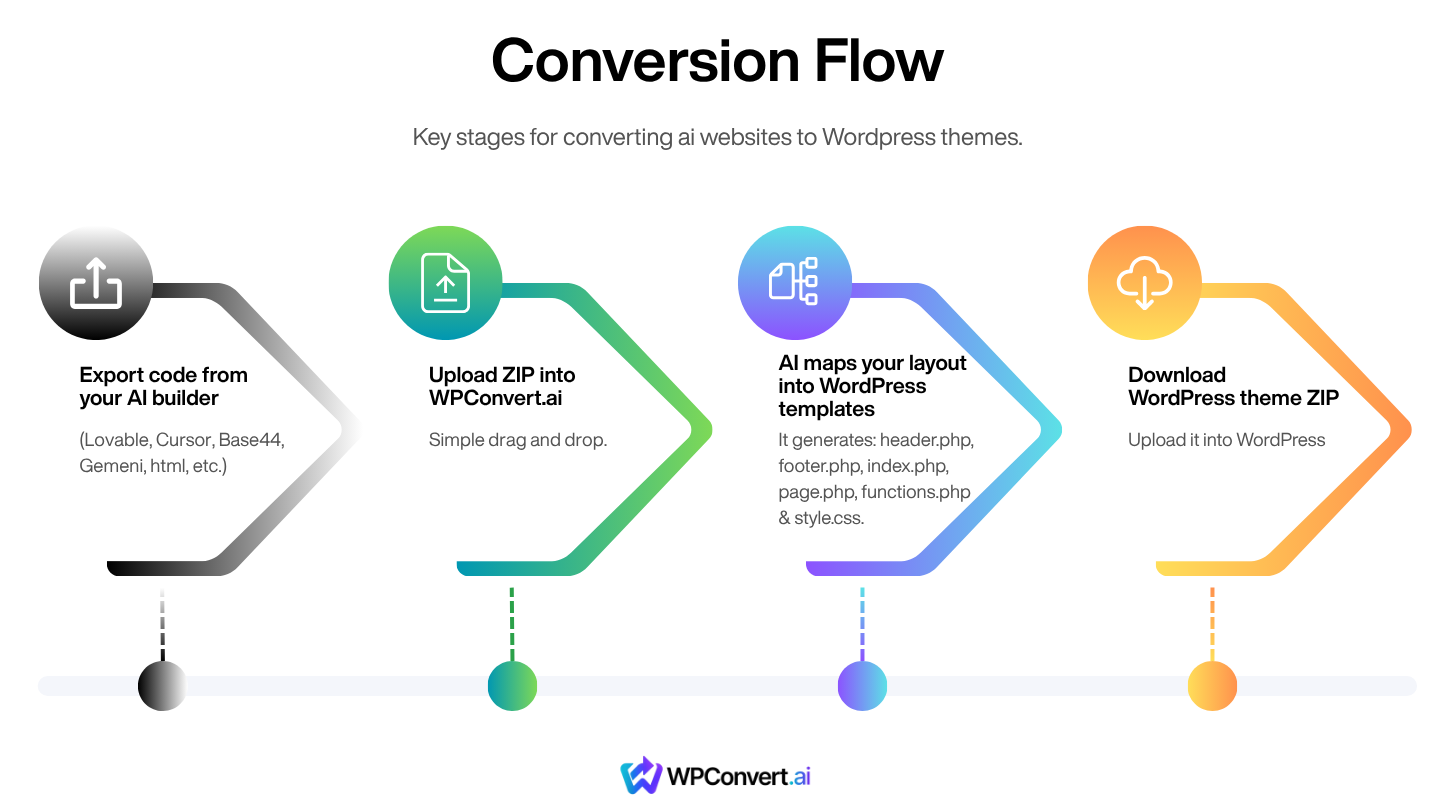
Instead of rebuilding your site manually, you can use WPConvert to convert your Base44 site automatically.
WPConvert:
- analyzes your site structure
- maps layout sections
- generates real WordPress theme files
- preserves styling and layout
- prepares a ready-to-install theme
👉 Convert your Base44 site here: https://wpconvert.ai
Step-by-Step: Convert Base44 to WordPress
Step 1 — Export Your Base44 Project
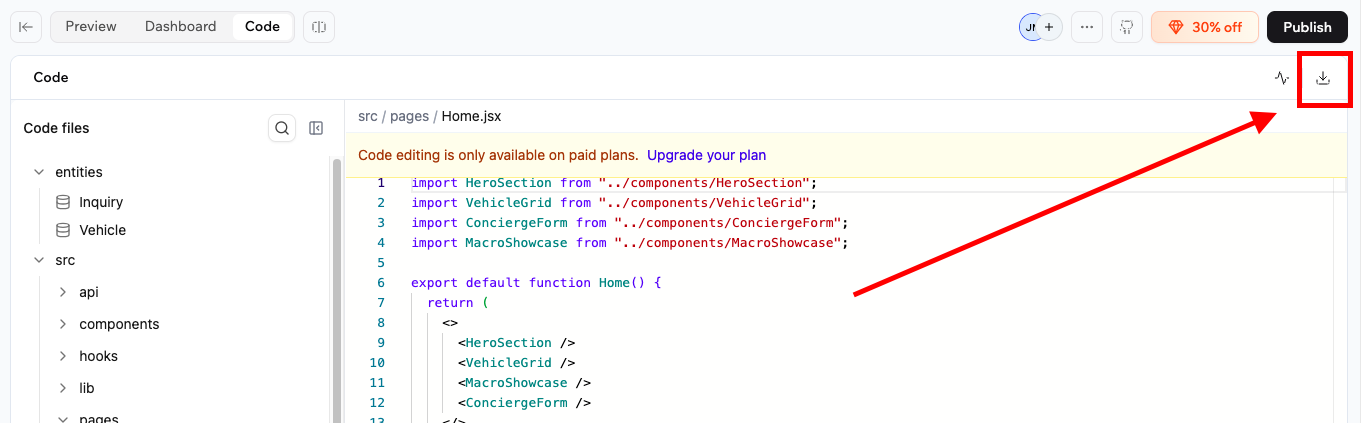
From Base44, export your project files.
You should have a ZIP or folder containing:
- HTML files
- CSS files
- JavaScript files
- assets (images, fonts)
If your project uses a build tool (like Vite), export the final build output.
Step 2 — Upload to WPConvert
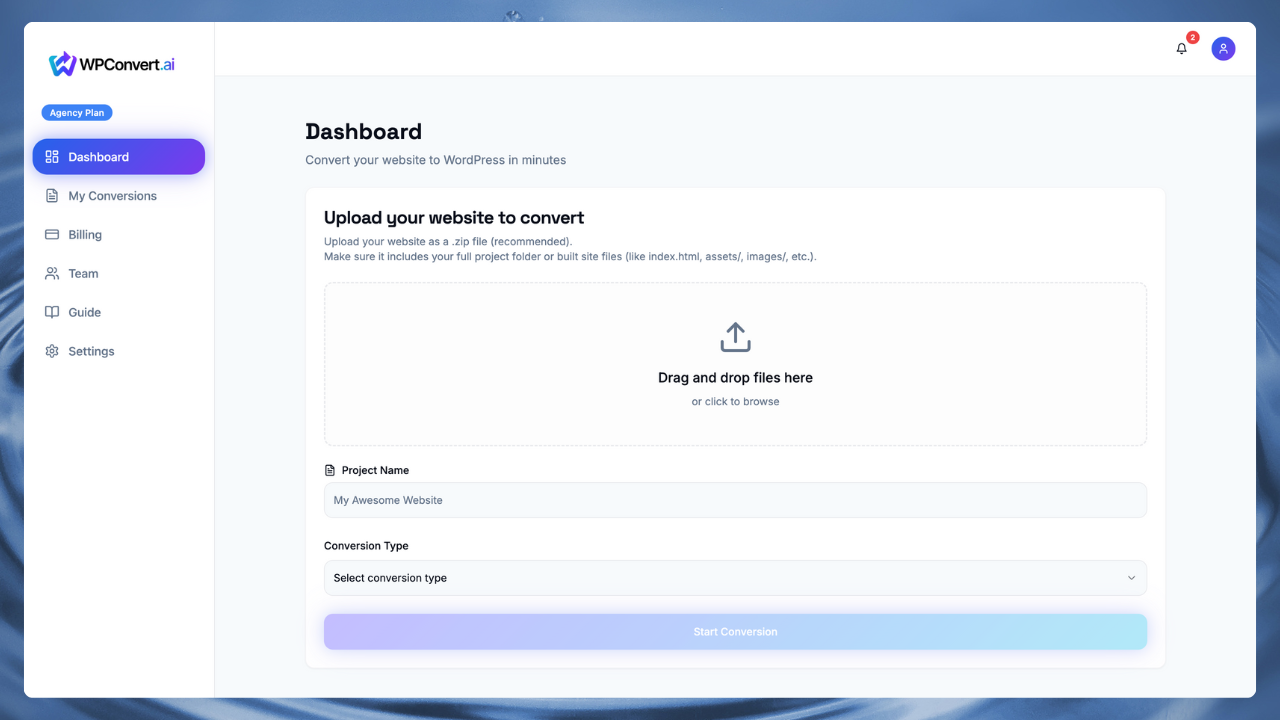
Go to https://wpconvert.ai and upload your ZIP file.
WPConvert will:
- detect your layout
- identify sections (header, footer, content)
- process styles and assets
- generate WordPress templates
Step 3 — Download Your WordPress Theme
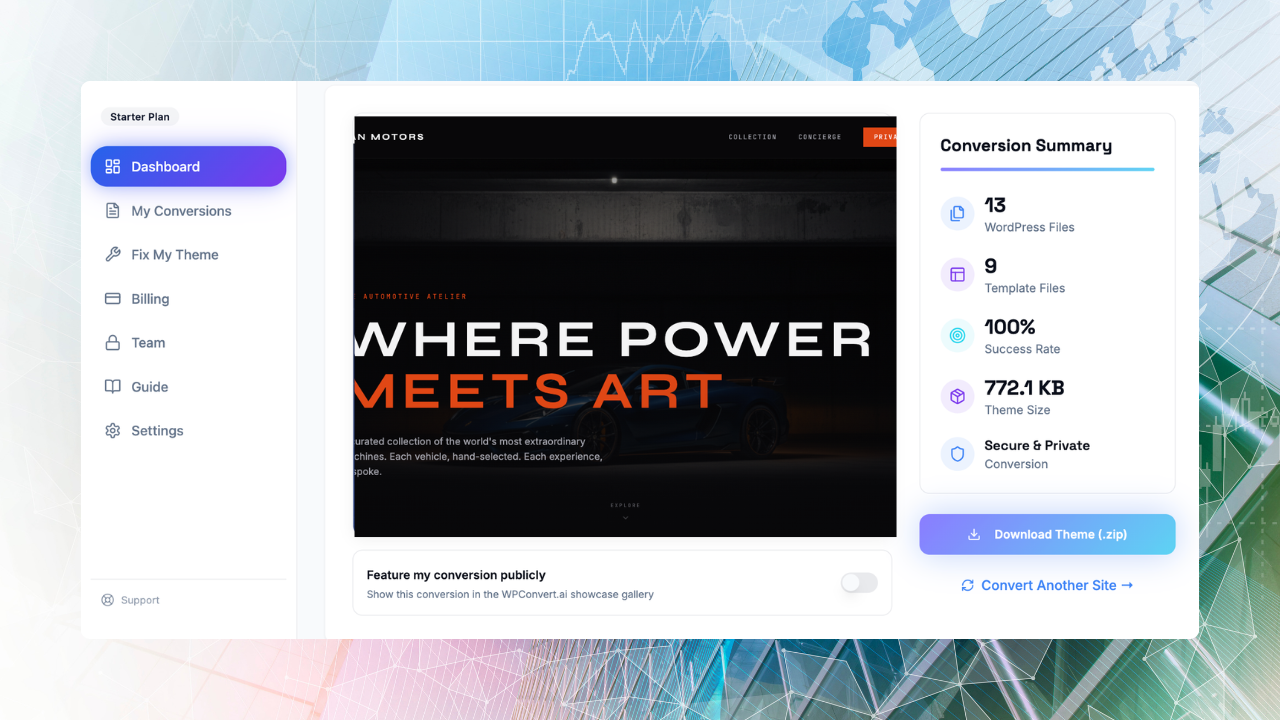
After conversion, you’ll receive:
- a complete WordPress theme ZIP
- properly structured files
- optimized assets
This theme is ready for installation.
Step 4 — Install in WordPress
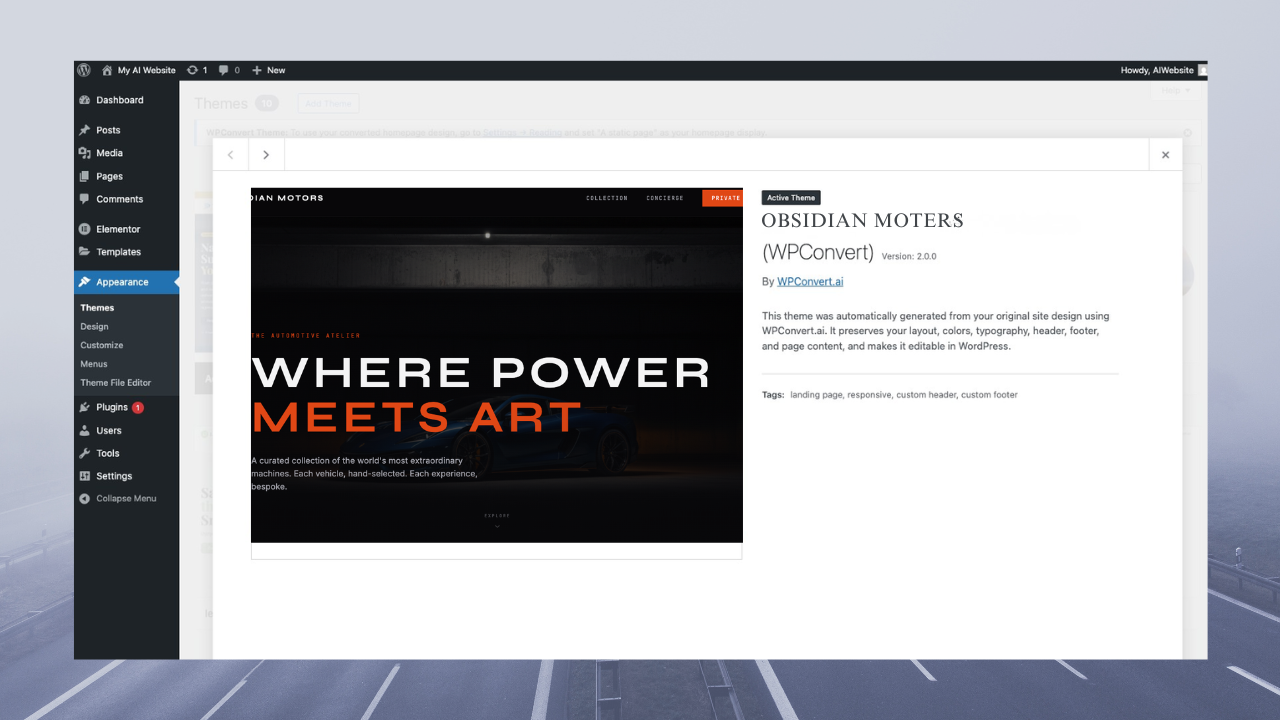
In your WordPress dashboard:
- Go to Appearance → Themes
- Click Add New
- Click Upload Theme
- Upload your ZIP
- Click Install
- Click Activate
Your Base44 site is now running on WordPress.
Step 5 — Test and Customize
After activation:
- check layout and spacing
- test responsiveness
- verify images and assets
- test forms and interactions
WPConvert preserves structure, so most designs remain intact.
What About Forms?
AI-built or generated sites often include frontend-only forms.
These won’t work in WordPress without backend handling.
WPConvert detects forms and rebuilds them using WordPress-native functionality so they:
- submit properly
- send emails
- follow WordPress security standards
Tips for Best Results
- Export the final built version of your site
- Use relative asset paths when possible
- Avoid server-only logic
- Test your site locally before uploading
Final Thoughts
Base44 is great for building modern websites quickly.
WordPress is still the best platform for managing and scaling them.
By converting your Base44 site into a WordPress theme, you get the best of both worlds:
- fast development
- long-term flexibility
WPConvert makes that transition simple.