WPConvert WooCommerce Import Guide
Convert shop designs to WooCommerce — product import, cart, checkout, and preserving your storefront layout.
Introducing WPConvert WooCommerce Import
Turn AI-Generated Product Catalogs Into Real WooCommerce Products — Without Rebuilding Your Shop Design.
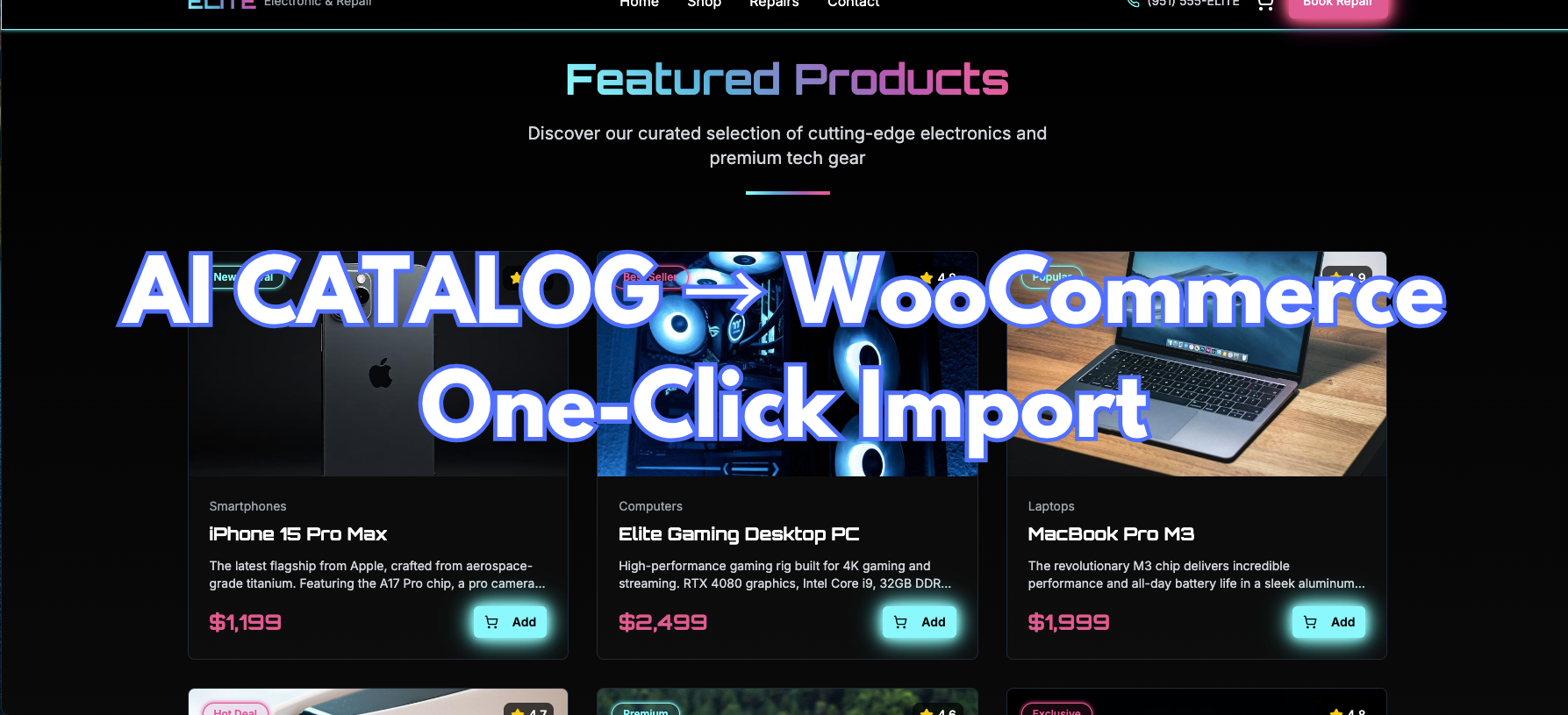
AI website builders are excellent at designing product grids, shop pages, and single-product layouts. But after conversion to WordPress, that catalog is usually frozen in static HTML — every product, price, and category badge is hard-coded into the theme.
Want to add a new product? Update a sale price? Manage categories from wp-admin? You'd have to edit PHP templates or manually recreate everything in WooCommerce from scratch.
WPConvert WooCommerce Import fixes that.
During Pro conversion, WPConvert detects product catalog patterns in your source and prepares a one-click import into WooCommerce — while your original shop layout, product cards, and single-product pages stay exactly as they were.
Summary (TL;DR): On PRO, Agency, and PAYG plans, WPConvert scans your AI-built site for product arrays (shop grids, featured products, category listings) and flags them with intent: woocommerce-product. The bundled WPConvert CPT Plugin (plugins/wpconvert-cpt.zip) imports detected products as real WC_Product_Simple entries — with titles, descriptions, prices, sale prices, categories, and images. Install and activate WooCommerce, then click "Import … products to WooCommerce" in the admin notice. A preview shows item counts, sample products, and categories before anything is written. Your converted pages render live WooCommerce data after import, and add-to-cart, cart icons, and checkout wiring connect through the same plugin.
Why AI Product Catalogs Break After Conversion
Most AI builders store shop content as front-end data arrays:
- Products defined in a
products.tsor JSX constant - Featured items in a
featuredProductsexport - Category filters driven by client-side state
When that site is converted to a WordPress theme:
- The arrays become hard-coded HTML in PHP templates
- There is no WooCommerce backend — no Products menu, no inventory, no payments
- Prices and sale badges are static text, not live product meta
- Add to cart buttons have no server-side handler
- Cart and checkout routes stay as static pages with no order pipeline
AI builders design shops visually. WordPress needs WooCommerce to make them sell. WPConvert WooCommerce Import bridges that gap by detecting product catalogs at conversion time and importing them as real WooCommerce products at install time.
What WPConvert WooCommerce Import Actually Does
The import flow is built into the WPConvert CPT Plugin bundled in your theme download when product catalogs are detected — on PRO, Agency, and PAYG plans. Product catalogs are never offered as Custom Post Types; they follow a dedicated WooCommerce import path instead.
1. Detects Product Catalogs During Conversion
When you upload your AI-built site, WPConvert's detector:
- Walks your source (TSX, JSX, TS, JS) and finds product-shaped arrays — titles, prices, images, descriptions, categories
- Classifies catalogs with
intent: woocommerce-productso they route to the WooCommerce importer instead of the CPT activation flow - Stamps passive DOM markers on matching shop grids (
data-wpc-cpt-candidate,data-wpc-cpt-item-template) so runtime code can swap static markup for live product loops - Writes a manifest (
assets/data/cpt-candidates.json) with field definitions, sample items, categories, and stable external keys for idempotent re-import
So the plugin knows exactly which products exist, what fields each item has, and where they appear in your converted theme.
2. Offers One-Click Import in WordPress Admin
Instead of manually recreating every product in WooCommerce:
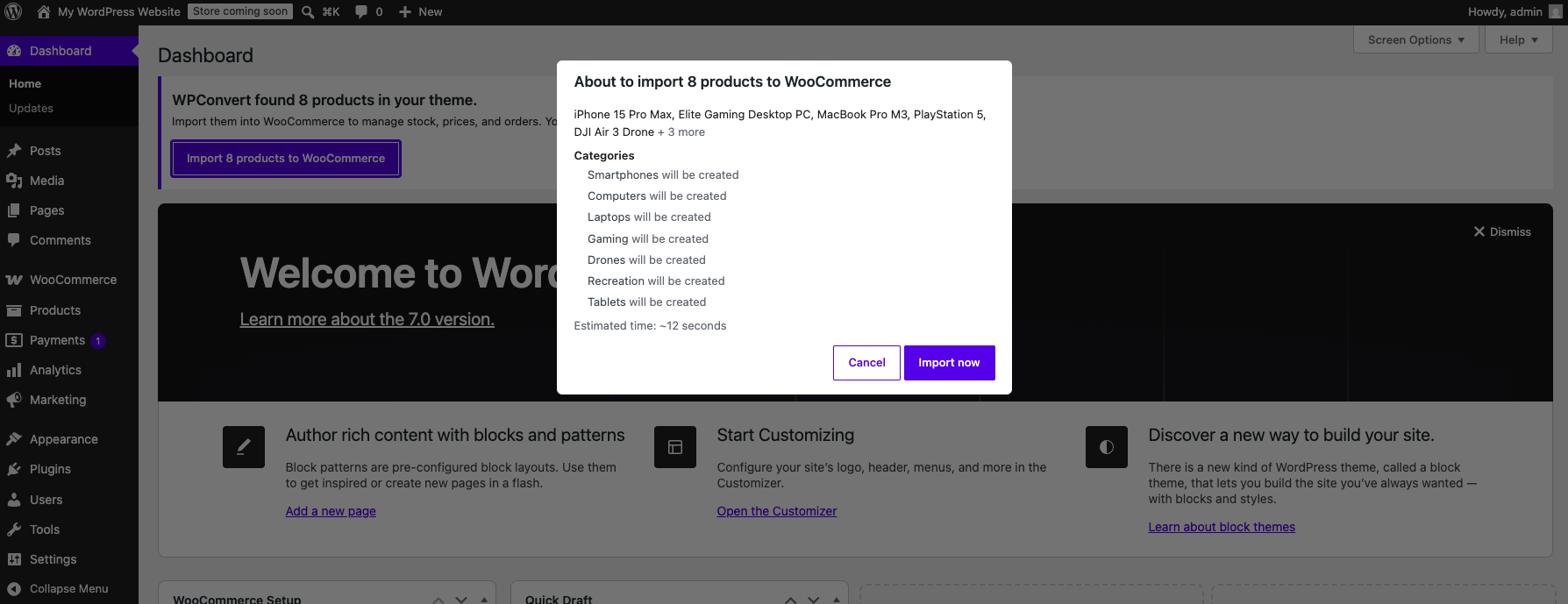
- Shows an admin notice — "WPConvert found … products in your theme" — with an Import … products to WooCommerce button
- Previews before writing — item count, sample products, and detected categories appear in a confirmation step before any products are created
- Imports in chunks via AJAX so large catalogs (50+ products) complete reliably without timeouts
- Idempotent — re-running import skips already-imported items; deleted products can be re-imported via stable external keys
You stay in control. Static shop markup remains visible until the first successful import — installing WooCommerce alone never blanks your pages.
3. Creates Real WooCommerce Products
For each detected item, the importer:
- Creates
WC_Product_Simpleproducts with title, long and short description, regular price, and sale price when detected - Assigns product categories from source data — category names become WooCommerce product categories
- Imports product images from your converted theme assets and attaches them as featured images
- Tracks imports in
wp_optionswith stable keys so CI and headless deploys can mirror the same flow via WP-CLI (wp wpconvert-wc import)
No hand-coding product loops or copying prices from a spreadsheet. The detector's field classification becomes your WooCommerce catalog.
4. Loop Swap — Static Grids Become Live WooCommerce Queries
This is where design preservation happens. At page render time, the plugin's output-buffer loop swap:
- Finds stamped shop sections in your theme HTML via
data-wpc-cpt-candidatemarkers - Replaces the static item template with a loop over imported WooCommerce products
- Substitutes live values — title, price, sale price, category badges, and images from WooCommerce
- Preserves your CSS classes, nesting, and responsive breakpoints — only the data source changes
Your product cards look identical. They're just powered by WooCommerce now.

5. Wires Add-to-Cart, Cart, and Checkout
After import completes:
- Header cart icons and product Add to cart buttons work automatically against WooCommerce
- Connect cart & checkout pages from the same admin notice — your converted cart and checkout designs become live WooCommerce pages (reversible; originals are backed up)
- Payment gateways — Stripe, PayPal, and other WooCommerce-supported providers connect under WooCommerce → Settings → Payments
- HPOS compatible — the plugin declares compatibility with WooCommerce High-Performance Order Storage
Your AI shop design becomes a production-ready WooCommerce store without rebuilding layouts in a page builder.
How It Works Under the Hood
For developers and agencies who want the technical picture:
- During conversion (Ship 1), the CPT candidate detector runs on Pro/Agency/PAYG tiers. Product catalogs receive
intent: woocommerce-productincpt-candidates.json. DOM markers are stamped on matched grids. Starter conversions stay byte-identical. - At install time (Ship 2),
wpconvert-cpt.zipreads the manifest and gates onwpconvert_cpt_should_run(). Product catalogs are excluded from the CPT activation list. - On import (Ship 4c.6), chunked AJAX (
wpconvert_wc_ajax_import_products) creates products with a global transient lock, idempotent stable keys, and stale-PID self-heal when a product is deleted in WC admin. - On render (Ship 3), the loop swap walks the output buffer, locates stamped sections, and expands the item template into an N-item WooCommerce loop. Static HTML is preserved until the first import completes.
- WP-CLI (Ship 4c.6),
wp wpconvert-wc list|import|statusmirrors the admin flow for CI and headless deploys.
Unlike converters that dump shop pages as static HTML or force you to rebuild products manually in WooCommerce, WPConvert keeps your DOM structure and swaps only the commerce data layer underneath.
Who Should Use WPConvert WooCommerce Import
- E-commerce brands converting AI-built storefronts from Lovable, v0, Cursor, or Claude who need a real product backend on day one
- Agencies migrating client shops with product grids, category filters, and single-product pages that need ongoing WooCommerce management
- Founders launching on AI builders who want WordPress + WooCommerce without redesigning the shop
- Developers who want clean architecture (real
WC_Productentries + preserved theme markup) without hand-importing every SKU - Anyone who needs to convert an AI shop to WooCommerce without rebuilding card layouts or manually copying product data
Example: AI Product Grid → WooCommerce Store
- Upload your AI-built site (with a shop grid and optional single-product pages) to WPConvert and convert with a PRO, Agency, or PAYG plan.
- Download the theme ZIP; inside is a
plugins/folder with wpconvert-cpt.zip and anassets/data/cpt-candidates.jsonmanifest containing your product catalog. - Install the theme in WordPress (Appearance → Themes → Upload Theme) and activate it.
- Go to Plugins → Add New → Upload and install wpconvert-cpt.zip. Click Install Now, then Activate.
- Install and activate WooCommerce (Plugins → Add New, search "WooCommerce").
- Look for the "WPConvert found … products in your theme" admin notice (or open Tools → WPConvert CPTs).
- Click "Import … products to WooCommerce" — review the preview showing product count, samples, and categories.
- Confirm the import. Products appear under Products in wp-admin with images, prices, and categories populated.
- Visit your shop page — product cards now render live WooCommerce data. Add-to-cart buttons and the header cart icon work automatically.
- Click "Connect cart & checkout pages" in the admin notice to wire your converted cart and checkout designs, then configure payments under WooCommerce → Settings → Payments.
Your AI product catalog is now a real, manageable WooCommerce store with zero shop design rebuild.
AI Shop Conversion: Manual WooCommerce vs WPConvert
| Feature | Manual recreation | WPConvert WooCommerce Import |
|---|---|---|
| Detects product catalogs | No | Yes (source + DOM) |
| Creates WooCommerce products | Manual, one by one | One-click import |
| Preserves original shop design | Often broken | Yes (loop swap) |
| Prices, sale prices, categories | Manual entry | Auto-imported from source |
| Product images | Manual upload | Imported from converted assets |
| Idempotent re-import | No | Yes (stable external keys) |
| Add-to-cart wiring | Custom code | Automatic after import |
| Cart & checkout page connection | Manual rebuild | One-click connect (reversible) |
| WP-CLI support | No | Yes (wp wpconvert-wc import) |
| Bundled in theme download | No | Yes (wpconvert-cpt.zip) |
Tone is professional and factual.
How to Convert an AI Shop to WooCommerce
If you're dealing with static product grids, hard-coded prices, or add-to-cart buttons that don't work in WordPress, the fix is to import detected catalogs into WooCommerce and let the loop swap power your existing design:
- Convert with WPConvert (PRO, Agency, or PAYG) so the pipeline detects product catalogs and bundles the CPT plugin with WooCommerce intent.
- Install WooCommerce and activate wpconvert-cpt.zip from your theme's
plugins/folder. - Import products from the admin notice — preview first, then confirm the chunked import.
- Connect cart and checkout when you're ready to go live, then set up payments in WooCommerce settings.
- Manage products from wp-admin — add SKUs, update prices, publish drafts, and assign categories while your converted shop design stays intact.
WPConvert WooCommerce Import is built for this: make AI shop content sell in WordPress without rebuilding product cards or manually recreating catalogs.