WPConvert Themes Now Work With Yoast SEO and Rank Math
Converted WordPress themes usually break SEO plugins — Yoast and Rank Math analyze an empty post body and mark every page red. WPConvert fixes that with built-in meta tags, JSON-LD, and official plugin hooks that feed analysers your real page content and pre-fill SEO titles, descriptions, and focus keyphrases on first edit.
Stop Getting Red SEO Scores on Converted AI Sites — Your Real Content Reaches the Analyser.
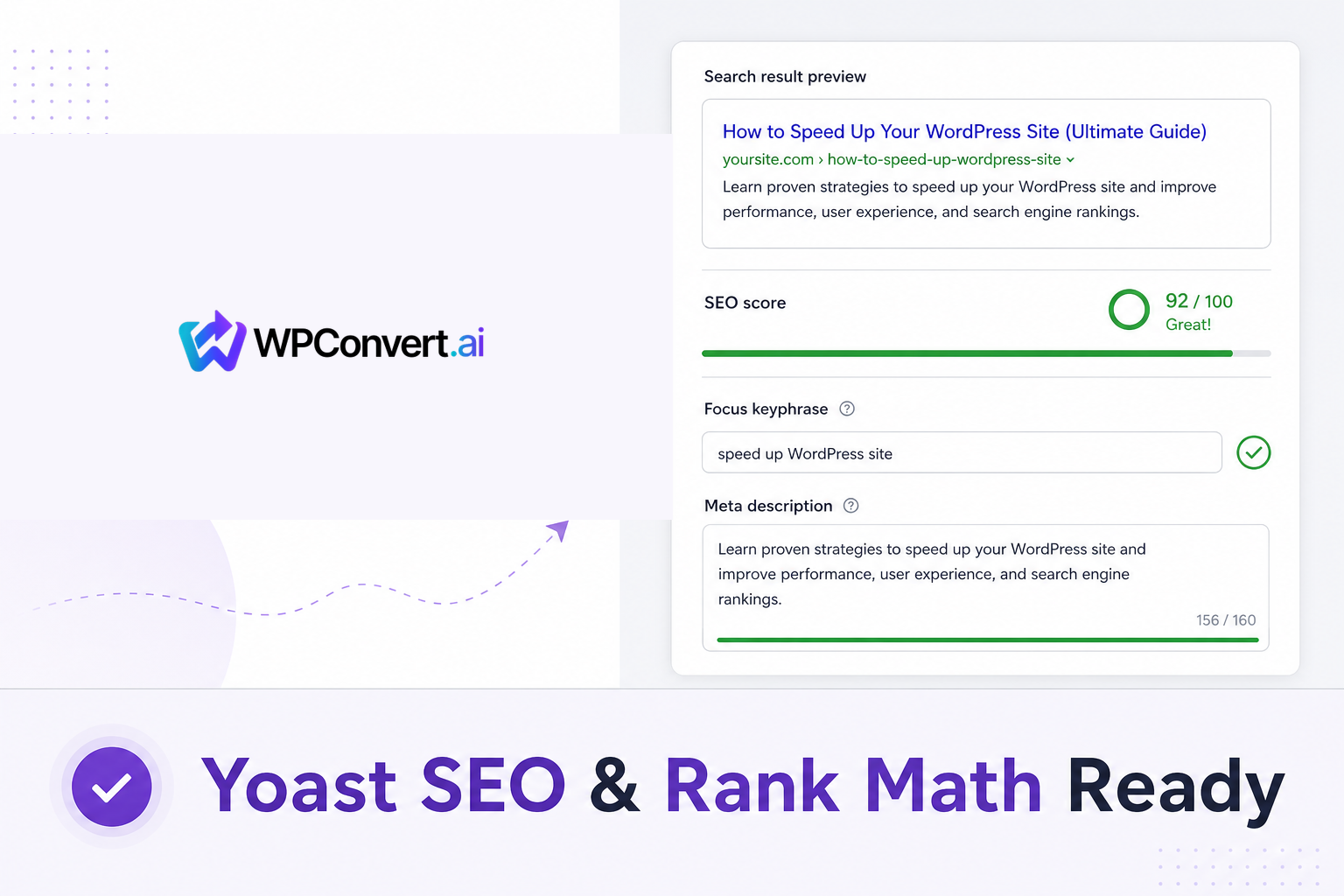
You converted your AI-built site to WordPress, installed Yoast SEO or Rank Math, and opened a page expecting green lights. Instead:
- The SEO analysis shows red — "Focus keyphrase not set"
- The readability score is grey or wrong
- The meta description is blank even though your live page has copy
- Word counts look like the page is empty
That's not because your site has bad SEO. It's because most converted themes store almost nothing in post_content. The real HTML lives in PHP templates (front-page.php, page-*.php), not in the WordPress editor body field. Yoast and Rank Math analyse post_content by default — so they think every page is a stub.
WPConvert fixes that — built into every theme, on every plan.
Your converted theme ships captured SEO data, outputs meta tags and JSON-LD without a plugin, and — when you install Yoast SEO or Rank Math — connects to their official hooks so analysers see your real page text, word counts reflect actual content, and SEO snippets are pre-filled the first time you open each page in the editor.
Summary (TL;DR): Every WPConvert theme (including Starter) bundles seo.json and seo-content.json and outputs page titles, meta descriptions, Open Graph tags, canonical URLs, and JSON-LD out of the box. Install Yoast SEO or Rank Math from Plugins → Add New (there is no separate WPConvert SEO plugin to upload). Open each page under Pages → Edit once — that triggers one-time seeding of the SEO title, meta description, focus keyphrase, and Cornerstone/Pillar flag for the home page. The theme stands down its own meta tags when a plugin is active (no duplicates) and feeds the plugin's content analyser your real rendered page content via official filters — so scores reflect what visitors actually see.
Why SEO Plugins Break on Converted AI Sites
Most AI-to-WordPress conversions produce template-driven themes:
- Page markup is rendered by PHP files, not stored in the post body
- The WordPress editor shows a short placeholder — by design
- Nav labels in wp-admin (e.g. "Home", "Plan") are not the same as the source site's
<title>tag - Headings, paragraphs, and CTAs live in
front-page.phpand route templates
When you install Yoast SEO or Rank Math on that kind of theme:
| What the plugin checks | What it usually finds |
|---|---|
post_content for analysis |
A placeholder — often a single line |
| Focus keyphrase relevance | Nothing to match against |
| Readability / word count | Near zero words |
| Meta description | Empty unless manually typed |
The front-end site can look perfect. The admin SEO panel still rates it red.
You'll see advice online to "mirror the_content()" or paste HTML into the post body. That fights how WPConvert themes are structured and creates duplicate content problems. WPConvert takes a cleaner path: capture semantic content at conversion time, then hand it to Yoast and Rank Math through their supported extension points.
What WPConvert Ships Out of the Box (No Plugin Required)
Before you install anything, every converted theme already includes:
1. Captured SEO metadata
During conversion, WPConvert reads each route's <title>, meta tags, headings, and visible copy. Two JSON files ship inside your theme:
assets/data/seo.json— page titles and descriptions captured from the sourceassets/data/seo-content.json— cleaned, semantic HTML for content analysers (headings, paragraphs, lists, links — site chrome stripped)
2. Front-end SEO output
The theme emits on the live site:
- Page titles and meta descriptions (when captured from the source)
- Open Graph and Twitter Card tags
- Canonical URLs
- JSON-LD structured data (Organization, WebSite, WebPage, and more where applicable)
This works on all plans — Starter included. You don't need Yoast or Rank Math for basic SEO tags on the public site.
3. Sensible fallbacks for AI-built sources
Many AI-generated sites ship a <title> but no <meta name="description">. WPConvert handles that:
- If the source had no meta description, the theme derives one from the page's first substantial paragraph (~155 characters) and can seed it into Yoast or Rank Math
- If a page has no
<h1>(common on hero-led designs), the suggested focus keyphrase falls back to the first heading (h2,h3, …) - Hero sections wrapped in semantic
<header>tags are preserved — only masthead navigation headers are stripped during extraction
What Happens When You Install Yoast SEO or Rank Math
WPConvert does not ship a separate SEO plugin zip. Compatibility is built into the theme's functions.php. When Yoast or Rank Math is active:
1. No duplicate meta tags
The theme's own title and description emitters stand down so the SEO plugin takes over. You won't get doubled <title> tags or conflicting Open Graph output.
2. Content analysers see real page text
WPConvert registers on Yoast's wpseo_pre_analysis_post_content filter and Rank Math's rank_math/researcher/post_content filter. When you run an SEO or readability analysis in the editor, the plugin receives the captured semantic content from seo-content.json — not the empty placeholder in post_content.
That means:
- Readability checks reflect your actual prose
- Keyphrase checks can match against real headings and paragraphs
- Internal link suggestions work against meaningful text
For Yoast's standalone word-count surfaces (cornerstone analysis, the "X words" indicator), WPConvert also hooks wpseo_post_content_word_count with the captured word count from seo-content.json.
3. SEO snippets pre-filled on first edit
When you open a page in the WordPress editor (Pages → Edit), the theme seeds plugin postmeta once per field — and never overwrites values you've already set:
| Field | Yoast postmeta | Rank Math postmeta | Source |
|---|---|---|---|
| SEO title | _yoast_wpseo_title |
rank_math_title |
seo.json (the source <title>, not the short nav label) |
| Meta description | _yoast_wpseo_metadesc |
rank_math_description |
seo.json, or derived from first paragraph |
| Focus keyphrase | _yoast_wpseo_focuskw |
rank_math_focus_keyword |
Page <h1>, or first heading |
| Cornerstone / Pillar | _yoast_wpseo_is_cornerstone |
rank_math_pillar_content |
Front page, on theme activation |
Important: Seeding runs when you open the page in the editor, not the moment you activate the theme. A blank focus keyphrase and a red SEO score on a brand-new page in the Pages list are normal until you've opened that page once.
The theme never changes post_title, slugs, or nav labels — only plugin SEO fields are seeded.
4. Sitemaps and breadcrumbs stay with the plugin
WPConvert leaves XML sitemaps, breadcrumb markup, and advanced schema extensions to Yoast or Rank Math. Your converted pages are real WordPress pages with proper URLs, so plugin sitemaps and breadcrumbs work as expected.
How to Set Up Yoast SEO or Rank Math on a WPConvert Theme
Step 1 — Install and activate your theme
Upload the theme zip under Appearance → Themes → Add New → Upload Theme, then Activate. WPConvert creates pages and menus automatically.
Step 2 — Install Yoast SEO or Rank Math
Go to Plugins → Add New, search for Yoast SEO or Rank Math, install, and activate. Run the plugin's setup wizard as you normally would.
There is no wpconvert-seo.zip to upload. Compatibility is already in the theme.
Step 3 — Open each page once in the editor
Go to Pages → All Pages and open each page (Edit). That first edit-screen visit triggers the one-time seeding of SEO title, meta description, and focus keyphrase.
Check the Yoast or Rank Math panel in the editor — you should see:
- The SEO title populated from your source site's
<title>(e.g. "Tahiti Time | Luxury French Polynesia Travel Planning") - A meta description from the source or derived from the first paragraph
- A suggested focus keyphrase from the page's main heading
- The home page flagged as Cornerstone (Yoast) or Pillar Content (Rank Math) after theme activation
Review and adjust anything in the snippet editor. Seeding is a starting point, not a lock-in.
Step 4 — Run the analyser
With the page open, scroll to the SEO and readability analysis sections. Scores should now reflect your actual page content — not an empty post body.
Your theme zip also includes a README.txt with this SEO section, and the WPConvert dashboard Getting Started modal walks through the same steps after download.
Example: AI Travel Site → Yoast-Ready WordPress
- Convert a Lovable, Cursor, or Claude-built travel site with WPConvert.
- Download the theme zip and install it in WordPress.
- Install Yoast SEO from the plugin directory and complete its wizard.
- Open the Home page in the editor. Yoast pre-fills the SEO title from the captured source
<title>, seeds a meta description from the hero intro paragraph, and sets a focus keyphrase from the page heading. - Open Plan, Privacy, and other pages the same way — each route's captured data seeds independently.
- View the live site — meta tags and JSON-LD were already outputting correctly before you installed Yoast. Yoast now manages snippets, sitemaps, and advanced analysis on top.
Your AI-built site is SEO-plugin-ready without pasting HTML into post bodies or writing custom the_content() mirrors.
Generic Conversion vs WPConvert SEO Integration
| Feature | Typical HTML / AI import | WPConvert theme |
|---|---|---|
| Meta tags on front-end | Manual or missing | Captured at conversion; emitted by theme |
| JSON-LD structured data | Manual | Built in |
| Yoast / Rank Math content analysis | Reads empty post_content → red scores |
Feeds real captured content via official hooks |
| SEO title in plugin | Falls back to short nav label | Seeded from source <title> in seo.json |
| Meta description | Blank unless typed manually | Captured or derived from first paragraph |
| Focus keyphrase | Empty | Seeded from <h1> or first heading |
| Cornerstone / Pillar home page | Manual | Auto-flagged on theme activation |
| Duplicate meta tags when plugin active | Common | Theme stands down — plugin only |
| Separate plugin zip to install | N/A | Not needed — built into theme |
| Works on Starter plan | Varies | Yes — all plans |
Who Should Use This
- Agencies delivering AI-built client sites who standardise on Yoast or Rank Math
- Freelancers converting Lovable, v0, Cursor, or Claude exports who don't want to hand-fix every SEO field
- Site owners who rely on Yoast's readability checks and focus keyphrase scoring
- Developers who know the
post_contentplaceholder pattern and want plugin hooks handled correctly - Anyone searching for "convert AI website to WordPress Yoast SEO" or "Rank Math empty content score" fixes
FAQ
Do I need a separate WPConvert SEO plugin?
No. Yoast and Rank Math compatibility is built into every converted theme. Install Yoast SEO or Rank Math from the WordPress plugin directory — there is nothing extra to upload from your theme zip.
Does this work on the Starter plan?
Yes. Captured meta tags, JSON-LD, seo-content.json, and Yoast/Rank Math integration ship on all plans, including Starter.
Why is my focus keyphrase still empty in the Pages list?
Seeding runs when you open the page in the editor (Pages → Edit), not when the theme is activated. The Pages list SEO column may show red until you've opened each page once. After that, the seeded values persist.
Will WPConvert overwrite my SEO edits?
No. Each field is seeded only if empty. Once you set a title, description, or keyphrase in Yoast or Rank Math, the theme never overwrites it.
Does this replace Yoast SEO or Rank Math?
No. WPConvert works with them. The theme handles captured metadata, content handoff to analysers, and one-time snippet seeding. Yoast and Rank Math still manage sitemaps, breadcrumbs, advanced schema, redirect rules, and the full SEO workflow you're used to.
My source site had no meta description — will anything be seeded?
Yes. WPConvert derives a description from the page's first substantial paragraph and seeds it into the plugin on first edit. You can refine it in the snippet editor anytime.
Do I need Elementor or Gutenberg for this?
No. The integration works with WPConvert's PHP template output. It doesn't depend on block editors or page builders.
I converted before this feature shipped — do I need to re-convert?
Themes downloaded before this integration won't include seo-content.json or the plugin hooks. Re-convert your source site to get the latest SEO compatibility. Existing themes can't pick up the integration from a plugin update alone.
Don't Just Convert. Make SEO Plugins Actually Work.
WPConvert themes were always built for clean front-end SEO output. Now they speak Yoast and Rank Math's language in wp-admin too — real content for analysers, captured titles for snippets, and one-time seeding so you're not starting from a blank metabox.
- Start Converting — Upload your AI-built site and download a Yoast/Rank Math-ready theme.
- View Pricing — SEO plugin compatibility is included on every plan.
Further Reading
- Introducing the WPConvert Forms Plugin — Wire AI-generated contact forms to Contact Form 7, WPForms, or Gravity Forms.
- Introducing the WPConvert CPT Plugin — Turn repeating AI content into editable Custom Post Types.
- Introducing WPConvert WooCommerce Import — Import AI-detected product catalogs into WooCommerce.
- Convert Lovable to WordPress — Turn Lovable.dev exports into installable themes.
- Convert Claude-generated site to WordPress — Convert Claude-built sites into WordPress themes.
- Why AI to Elementor Conversions Break — Why template structure matters when converting AI sites.