Why AI to Elementor Conversions Break (And How We Fixed It)
Most AI-to-WordPress converters break Elementor layouts or fall back to raw HTML widgets. This is a structural problem, not a styling bug. Here's why Elementor mapping fails and how WPConvert preserves design without breaking editability.
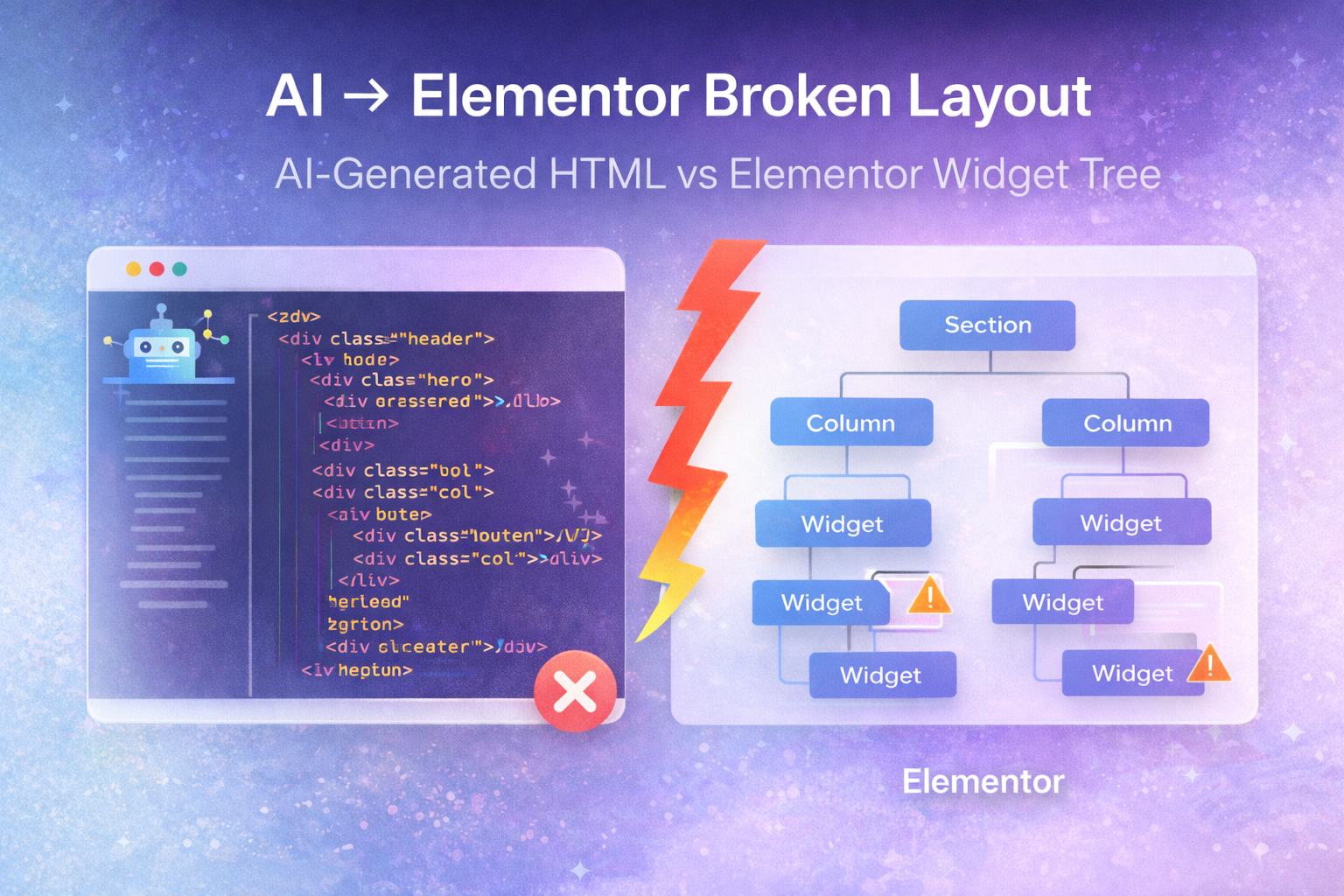
Many AI website converters claim Elementor support. In practice, layouts often break, or the entire design is dumped into Elementor HTML widgets so nothing is visually editable. The result is an AI to Elementor broken layout that frustrates developers and clients alike.
This isn’t a cosmetic issue. It’s a structural mismatch between how AI-generated sites are built and how Elementor expects content to be organized. Understanding that mismatch explains why Elementor mapping fails and why most tools fall back to HTML — and what a different approach looks like in 2026.
Summary (TL;DR): AI-generated sites are raw HTML with nested divs and CSS; Elementor uses a section/column/widget tree. Direct mapping fails because the DOM doesn’t encode that structure, so many tools use an Elementor HTML widget fallback — which keeps the design but loses editability. WPConvert avoids this by converting to a proper theme first and adding controlled editing without destructive widget mapping.
How AI-Generated Websites Are Structured
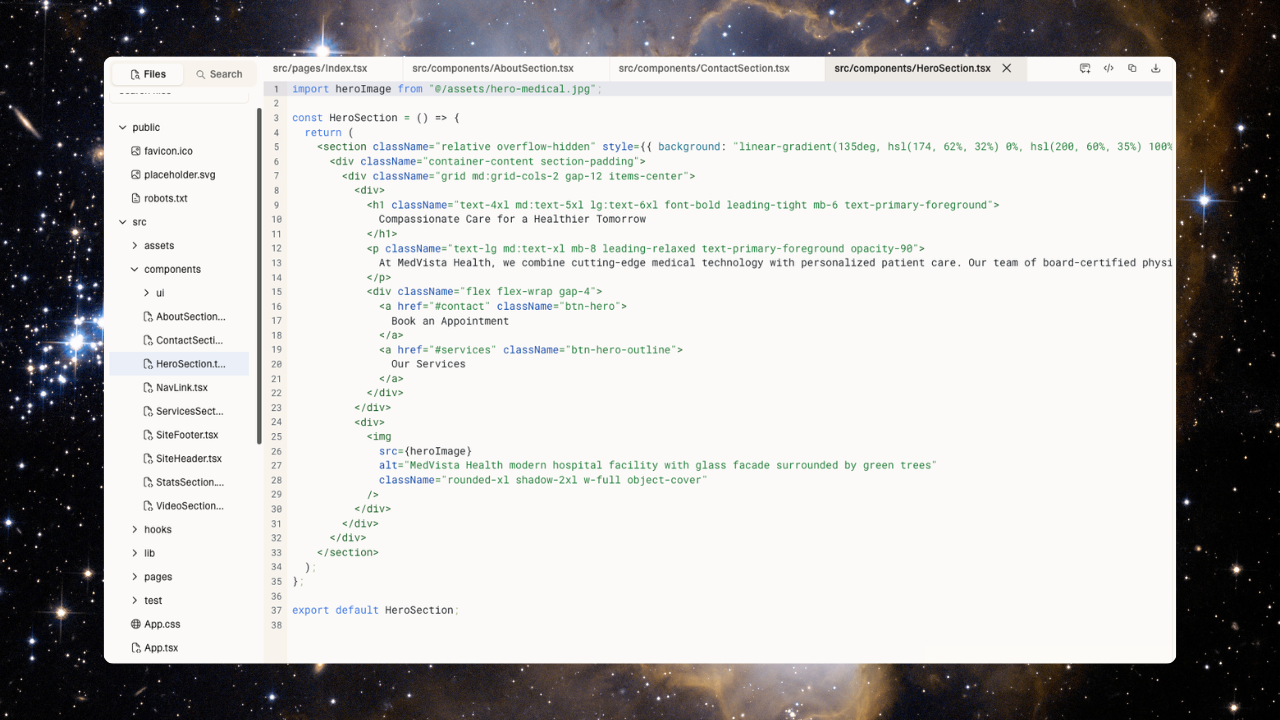
AI-built sites (from Lovable, Cursor, Claude, Framer exports, and similar tools) are typically delivered as raw HTML plus CSS and JavaScript. That structure is very different from a page builder’s internal model.
Raw HTML and Nested Divs
The output is usually a deep tree of generic elements: <div>, <section>, <main>, with nested div hierarchies that carry no semantic meaning to a page builder. There are no “sections” or “columns” in the DOM — only blocks and wrappers.
CSS and Utility Classes
Styling is often heavily dependent on CSS: Tailwind or other utility classes, custom stylesheets, and flexbox and grid nesting that define layout entirely in CSS. Spacing, alignment, and breakpoints live in class names and stylesheets, not in a widget tree.
No Builder Metadata
The HTML has no concept of Elementor sections, columns, or widgets. It’s just markup and styles. Any converter that tries to turn that DOM directly into Elementor’s structure is forced to infer structure — and that inference is where AI website to Elementor issues begin.
How Elementor Is Structured Internally
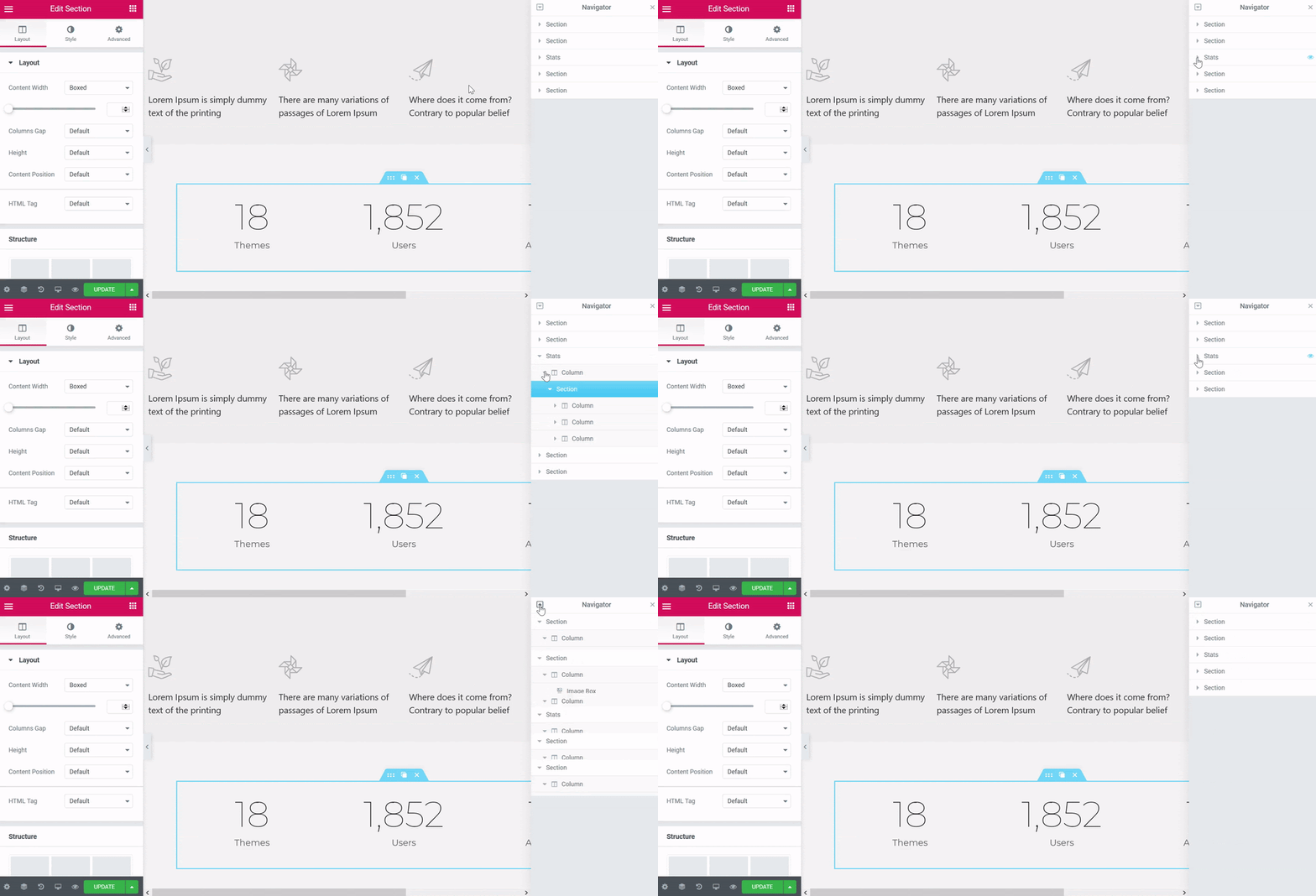
Elementor doesn’t work with raw HTML. It uses its own controlled layout model.
Sections, Columns, and Widgets
Elementor organizes the page into:
- Sections — top-level rows
- Columns — subdivisions within sections
- Widgets — discrete units (heading, text, image, button, etc.)
Each of these is a first-class object in Elementor’s data model, with its own settings, responsive controls, and place in a widget tree hierarchy. The front-end HTML is generated from that tree; it isn’t the source of truth.
The Widget Tree
The real page structure in Elementor is a tree of widget instances, not a flat or arbitrary DOM. When you “convert HTML to Elementor,” you’re really being asked to reverse-engineer that tree from HTML — and the DOM doesn’t contain the information needed to do it faithfully.
Why Direct Widget Mapping Fails
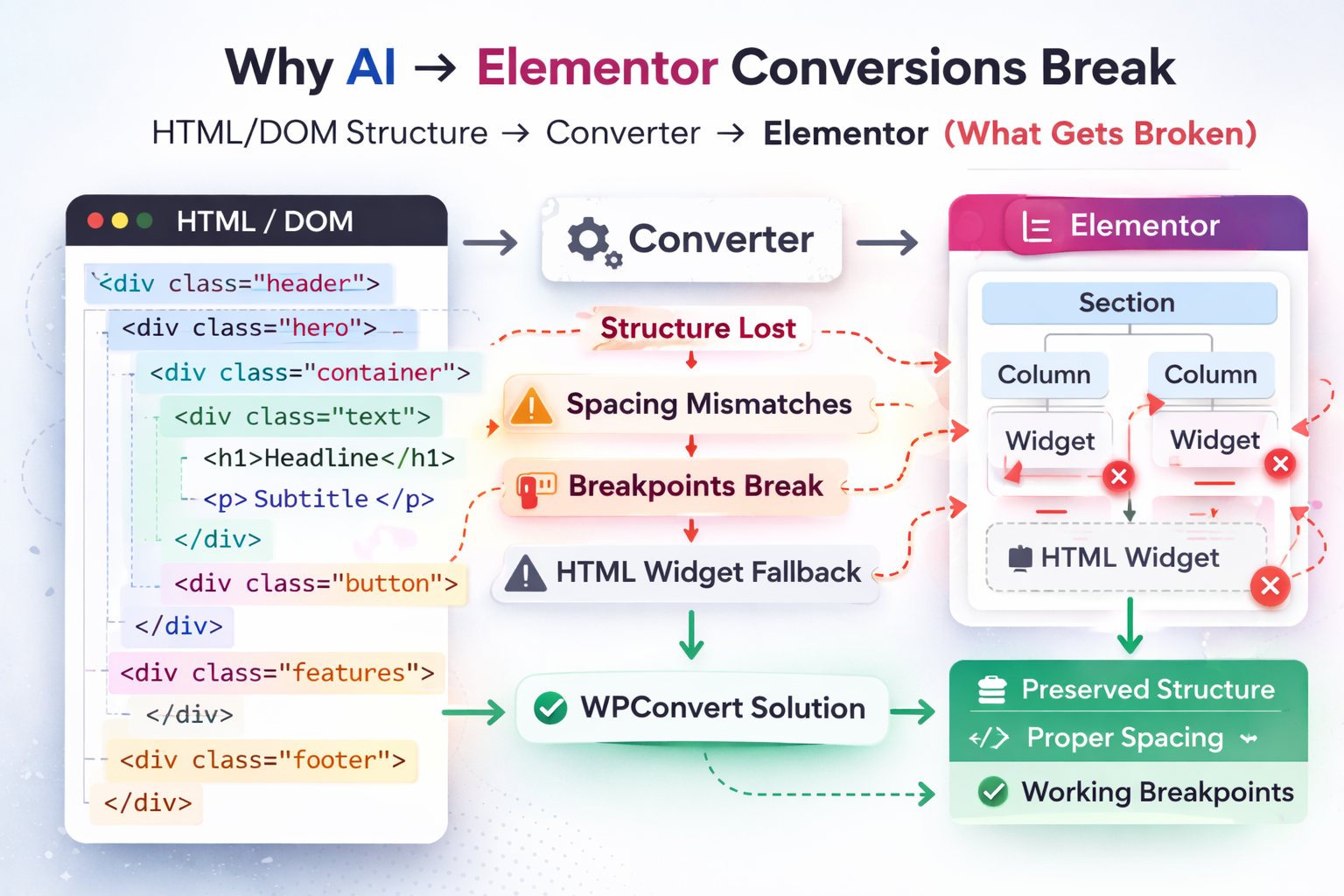
DOM ≠ Elementor widget tree. That’s the core of the Elementor widget mapping problem.
Structure Is Lost in Translation
A converter may try to map a <div> to a section, inner <div>s to columns, and blocks to widgets. But:
- Nested structure in the HTML doesn’t map 1:1 to sections/columns. One div might represent spacing; another might be a flex container. Splitting and guessing leads to loss of nested structure and odd layouts.
- Margin and padding in the original design often come from utility classes or global CSS. Elementor expects spacing to live on section/column/widget settings. Those margin and padding mismatches cause misaligned or overlapping blocks.
- Responsive breakpoints in the source are usually in CSS media queries or Tailwind breakpoints. Elementor has its own breakpoint system. If the converter doesn’t rebuild that logic into Elementor’s controls, responsive breakpoints break.
- Global styles (typography, colors, spacing) are defined in stylesheets. Elementor uses its own global settings and per-widget overrides. Global styles are lost unless explicitly recreated — and most converters don’t.
So “better parsing” of the HTML doesn’t fix it. The information needed to reconstruct the exact Elementor structure and behavior simply isn’t in the DOM. That’s why convert HTML to Elementor without breaking design is so hard for tools that rely on direct widget mapping.
The HTML Widget Fallback Problem
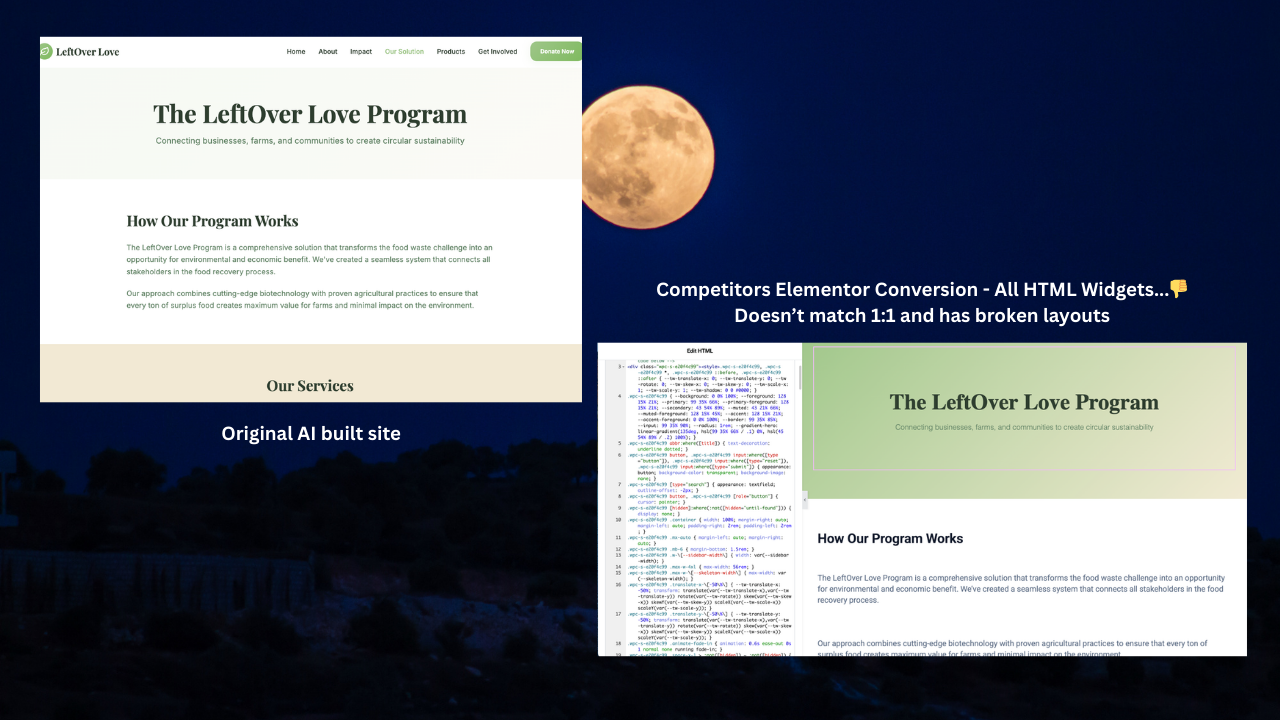
When direct mapping is too fragile, many converters take a different shortcut: Elementor HTML widget fallback.
What Happens in Practice
The entire section (or page) is dropped into one or more raw HTML widgets. The design looks right because the original HTML and CSS are preserved inside the widget. So visually, the AI to Elementor broken layout seems “fixed.”
What You Lose
- Editability — You can’t click a heading or button in the Elementor canvas and edit it like a native widget. You’re editing raw HTML/CSS.
- Consistency — No integration with Elementor’s typography, colors, or spacing. No native responsive controls.
- Purpose of Elementor — The point of a page builder is visual, structured editing. The HTML widget fallback keeps the design but defeats the purpose of Elementor for that content.
So the choice many tools leave you with is: broken native widgets or uneditable HTML blobs. Both are Elementor HTML widget fallback outcomes in practice.
Why This Is a Structural Problem, Not a Styling Bug
It’s tempting to think the issue is “styling” or “parsing.” It isn’t.
Mapping arbitrary HTML to Elementor widgets is fundamentally lossy. The DOM doesn’t encode:
- Which div is a “section” vs a “spacer” vs a “wrapper”
- Which spacing is intentional vs inherited
- How breakpoints were intended to change layout
So you can’t “fix” it with smarter regex or a better DOM walker. The structural gap is between two different models: document structure (HTML/CSS) vs builder structure (sections, columns, widgets with settings). That’s why Elementor mapping fails at scale and why so many tools fall back to HTML widgets instead of fixing it.
How WPConvert Solves This Differently

Many tools attempt to force AI-generated HTML into Elementor’s widget tree and end up with broken layouts or full-page HTML widgets. Traditional approaches rely on either aggressive widget guessing or the HTML widget fallback.
WPConvert takes a different path: structural preservation without destructive widget mapping.
Theme-Based Conversion First
WPConvert converts AI and static sites into proper WordPress themes (PHP templates, header.php, footer.php, sections, assets). The layout and design are preserved in semantic structure and CSS, not by forcing the DOM into Elementor widgets.
The WPConvert Edit Plugin
For teams that want a visual-editing experience without breaking the design, the WPConvert Edit Plugin provides controlled editability on top of the converted theme. Instead of mapping every div to a widget, the plugin works with the existing structure so you can edit content and sections in a guided way while retaining design fidelity. This approach:
- Avoids destructive widget mapping — No guessing of sections/columns/widgets from raw HTML.
- Avoids HTML widget fallback — You’re not dumping full sections into a single HTML widget and losing editability.
- Preserves design — Spacing, typography, and responsiveness stay intact because the theme structure is preserved, not recreated inside Elementor’s model.
So you get convert HTML to Elementor without breaking design in the sense that the site is converted to a clean, editable WordPress theme; the Edit Plugin then adds a structured editing layer that doesn’t depend on forcing HTML into Elementor’s native widget tree.
What This Means for Agencies and Developers in 2026
In 2026, more clients will bring AI-generated sites and ask for them on WordPress — often with Elementor. Understanding that AI to Elementor broken layout and Elementor HTML widget fallback are structural issues (not just bugs) helps set expectations and choose the right approach.
- Avoid promising “full Elementor conversion” when the source is arbitrary HTML; that path usually leads to broken layouts or uneditable HTML widgets.
- Prefer conversion that preserves structure (theme + CSS + assets), then add editing via a controlled mechanism (e.g. WPConvert Edit Plugin) rather than forcing every div into a widget.
- Explain to clients why “AI website to Elementor” is hard: it’s not that converters are lazy, it’s that the two models don’t align. The solution is a workflow that doesn’t rely on that alignment.
FAQ
Why does Elementor break when converting AI websites?
Elementor expects a widget tree (sections, columns, widgets with settings). AI-generated sites are raw HTML + CSS with no such structure. Converting that HTML into Elementor’s model requires guessing structure and spacing, which often produces Elementor mapping fails and broken or misaligned layouts.
What is HTML widget fallback?
HTML widget fallback is when a converter gives up mapping HTML to native Elementor widgets and instead puts the markup into one or more Elementor HTML widgets. The design looks correct, but the content isn’t editable as normal Elementor elements — you’re editing raw HTML inside the widget.
Can HTML be safely mapped to Elementor widgets?
Not in general. The DOM doesn’t contain the information needed to reconstruct Elementor’s sections, columns, and widget settings. Mapping is inherently lossy and leads to Elementor widget mapping problem issues: wrong structure, spacing, and breakpoints. That’s why many tools fall back to HTML widgets.
How does WPConvert preserve design structure?
WPConvert converts AI and static sites into WordPress themes that keep the original layout and styling in theme templates and CSS, rather than forcing HTML into Elementor’s widget tree. The WPConvert Edit Plugin then adds controlled editability on top of that structure, so you get design fidelity retention without destructive mapping or full-page HTML widgets.
Is Elementor the right tool for AI-generated sites?
Elementor is a strong choice for building pages inside WordPress. Using it to import arbitrary AI-generated HTML as native widgets is where AI website to Elementor issues appear. A better approach is to convert to a proper theme first, then use a workflow (e.g. theme + Edit Plugin) that keeps the design intact and adds editing without relying on perfect HTML → widget mapping.
Further Reading
- Convert Lovable to WordPress — Turn Lovable.dev exports into WordPress themes.
- Convert Framer to WordPress — Convert Framer static exports to WordPress.
- Convert Claude-generated site to WordPress — Convert Claude-generated HTML/CSS/JS into installable themes.
- Introducing the WPConvert Edit Plugin — Make AI-converted themes fully editable without breaking the layout.